
TAdvSmoothImageListBox2.2.0.5 - Download
You'll be able to download in few seconds.
Publisher Description
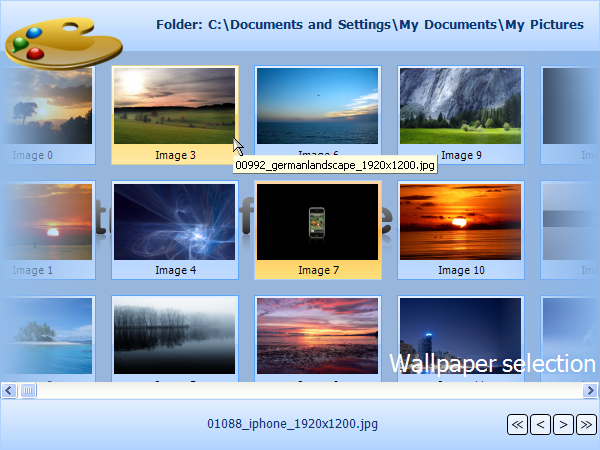
* Smoothly animated image thumbnail list & picker
* Automatic background thread loading for high performance
* Automatic thumbnail creation for minimal memory usage
* Listbox items can have HTML formatted Caption text with hyperlink & image support
* Listbox items can have images with zooming capability.
* Listbox items can be arranged in columns or in rows with keyboard & mouse animated scrolling
* Default image can be used to be displayed in case of unloaded images.
* Fully customizable item appearance with text and image properties.
* Header & footer with sophisticated fills and image support.
* Keyboard lookup support.
* Smooth mouse slide effects.
* Support for Item groups with splitter between items that can be expanded & collapsed
* Support for custom top layer items to enhance to look and feel.
* Different thread loading modes to change the way the images are loading.
* All elements feature sophisticated gradient, texture, hatch fills with optional opacity control.
* Built-in support for using ICO, BMP, JPEG, GIF, ICO, TIF, PNG images with alpha transparency.
* Anti-aliased drawing.
* TMS TAdvFormStyler compatible for instant switching between Office 2003 / Office 2007 / Office 2010 styles.
* Data-aware version included
This product is also available in TMS Component Pack.
About TAdvSmoothImageListBox
This Delphi program is available in English. It was last updated on 29 September, 2026. TAdvSmoothImageListBox is compatible with the following operating systems: Windows.
The company that develops TAdvSmoothImageListBox is tmssoftware.com. The latest version released by its developer is 2.2.0.5.
The download we have available for TAdvSmoothImageListBox has a file size of 10.5 MB. Just click the green Download button above to start the downloading process. The program is listed on our website since 2012-05-11 and was downloaded 0 times. We have already checked if the download link is safe, however for your own protection we recommend that you scan the downloaded software with your antivirus. Your antivirus may detect the TAdvSmoothImageListBox as malware if the download link is broken.
How to install TAdvSmoothImageListBox on your Windows device:
- Click on the Download button on our website. This will start the download from the website of the developer.
- Once the TAdvSmoothImageListBox is downloaded click on it to start the setup process (assuming you are on a desktop computer).
- When the installation is finished you should be able to see and run the program.
Program Details
System requirements
Download information
Pricing
Version History
version 2.2.0.5
posted on 2012-05-11
Improved : AddImageLocationsFromFolder and AddImages with additional parameters
version v1.6.0.4
posted on 2009-04-17
Fixed : Issue with FShowCurrentDate := true in SetSelectedDate, issue with multi select date in multiple months.
Disclaimer
External Download
We do not host TAdvSmoothImageListBox on our servers. We did not scan it for viruses, adware, spyware or other type of malware. This app is hosted by the software publisher and passed their terms and conditions to be listed there. We recommend caution when installing it.
The external download link for TAdvSmoothImageListBox is provided to you by apps112.com without any warranties, representations or guarantees of any kind, so access it at your own risk.
If you have questions regarding this particular app contact the publisher directly. For questions about the functionalities of apps112.com contact us.
